Laravel 13 on Firebase
Lara Fire is an open-source starter kit that combines Laravel with Firebase Authentication, custom-claim admin roles, Cloud Firestore, push notifications and a REST API that accepts Firebase ID tokens. It needs no SQL database.
Introduction#
Firebase handles identity, data and messaging, and Laravel handles routing, views, validation and your business logic. Lara Fire wires the two together, so you can start building features instead of glue code.
Firebase Auth
Email/password, Google and GitHub, email verification, password reset. Everything goes through a real Laravel guard.
Admin panel
Search and stats. Grant or revoke admin through custom claims, enable or disable users, send reset links.
Cloud Firestore
Per-user Notes CRUD over the Firestore REST API. There's no gRPC, so it also works on Windows.
Push (FCM)
Users opt in per browser. Admins can broadcast or target one user, and no token table is needed.
REST API
/api/v1 authenticated with Authorization: Bearer <ID token>, ready for mobile apps.
Tested
30 tests with Firebase mocked. CI runs on PHP 8.3, 8.4 and 8.5.
Requirements#
| Tool | Version | Check |
|---|---|---|
| PHP | 8.3, 8.4 or 8.5 | php -v |
| PHP extensions | openssl, curl, mbstring, fileinfo | php -m |
| Composer | 2.x | composer -V |
| Node.js | 20.19+ or 22.12+ | node -v |
| Firebase project | Spark (free) plan is enough | console.firebase.google.com |
Sessions and cache use files by default and the queue is sync, so you don't need MySQL or SQLite.
Installation#
With Composer (recommended)
composer create-project suhasrkms/lara-fire my-app
cd my-app
npm install
npm run build
create-project copies .env.example to .env, generates APP_KEY and runs php artisan larafire:about, which lists what's still missing.
From GitHub
git clone https://github.com/suhasrkms/Lara-Fire.git my-app
cd my-app
composer install
copy .env.example .env      # macOS/Linux: cp .env.example .env
php artisan key:generate
npm install && npm run build
Firebase setup#
- Create a project. In the Firebase console, click Add project and give it a name. Google Analytics is optional.
- Enable sign-in methods. Go to Authentication → Get started → Sign-in method and enable Email/Password, plus Google and/or GitHub if you want them (see social login).
- Download the service account key (server side). Go to Project settings → Service accounts → Generate new private key. Save the file as:
storage/app/firebase/service-account.jsonKeep it secretThis key has full admin access to your project. The folder is git-ignored, so never commit it, paste it anywhere or show it in a screen recording.
- Register a web app (browser side). Go to Project settings → General → Your apps → Web (</>). Copy the config values into the
FIREBASE_WEB_*keys in.env. These values are public by design. - Authorized domains. Under Authentication → Settings → Authorized domains,
localhostis already listed. Add your production domain before you deploy. - Optional: create a Firestore database and a Web Push key.
Configuration (.env)#
Every Lara Fire setting lives in .env and is read through config/larafire.php and config/firebase.php.
| Key | Default | What it does |
|---|---|---|
FIREBASE_CREDENTIALS | storage/app/firebase/service-account.json | Path to the service account JSON, relative to the project or absolute. Inline JSON also works. |
FIREBASE_WEB_API_KEY | — | Web app config for the JS SDK. Required for social login and push. |
FIREBASE_WEB_AUTH_DOMAIN | — | |
FIREBASE_WEB_PROJECT_ID | — | |
FIREBASE_WEB_STORAGE_BUCKET | — | |
FIREBASE_WEB_MESSAGING_SENDER_ID | — | |
FIREBASE_WEB_APP_ID | — | |
FIREBASE_WEB_VAPID_KEY | — | Web Push certificate key pair. Enables browser notifications. |
LARAFIRE_SOCIAL_PROVIDERS | google,github | Social buttons shown on login/register, comma-separated. Leave empty to hide them. |
LARAFIRE_USER_CACHE_TTL | 60 | Seconds to cache the Firebase user record between requests. |
LARAFIRE_FCM_TOPIC | larafire-all | Topic that every subscribed device joins. |
LARAFIRE_NOTES_COLLECTION | notes | Firestore collection used by the Notes module. |
LARAFIRE_FIRESTORE_PROJECT_ID | from the service account | Override when the Firestore project differs. |
LARAFIRE_FIRESTORE_DATABASE | (default) | Named Firestore database ID. |
SESSION_DRIVER / CACHE_STORE | file | Swap to redis in production if you run several servers. |
After changing .env, run php artisan config:clear.
Running the app#
php artisan larafire:about   # setup checklist
php artisan serve            # http://localhost:8000
# or everything at once (server + logs + Vite hot reload):
composer dev
Open the site, register an account, verify your email, then make yourself an admin:
php artisan larafire:make-admin you@example.comLog out and back in, or wait up to 60 seconds for the user cache to expire, and the Admin link appears.
Authentication#
Firebase stores the users, and Laravel keeps the session. After Firebase confirms who someone is, Lara Fire logs them into a normal Laravel session, so all of these work as usual:
auth()->user()          // App\Auth\FirebaseUser
auth()->id()            // Firebase UID
@auth ... @endauth
Route::middleware('auth')
Routes
| URL | What | Middleware |
|---|---|---|
/login, /register | Email/password + social buttons | guest, throttle:auth |
/forgot-password | Firebase sends the reset email | guest |
/email/verify | "Check your inbox" + resend | auth |
/home | Dashboard | auth, firebase.verified |
/profile | Name, email, password, disable account | auth, firebase.verified |
Middleware
| Alias | Class | Behaviour |
|---|---|---|
firebase.verified | EnsureEmailIsVerified | Sends unverified password users to /email/verify. Google and GitHub users are trusted. |
admin | EnsureUserIsAdmin | Requires the custom claim admin === true. |
firebase.token | AuthenticateWithIdToken | Stateless API auth with a Bearer ID token. |
The FirebaseUser object
$user = $request->user();

$user->uid;            $user->email;          $user->displayName;
$user->photoUrl;       $user->emailVerified;  $user->customClaims;
$user->providers;      // ['password', 'google.com', ...]

$user->isAdmin();              // admin claim === true
$user->hasPasswordProvider();  // signed up with email/password
$user->name();                 // display name → email prefix → "User"
$user->initials(); // "JD"The user record is cached for LARAFIRE_USER_CACHE_TTL seconds, so pages don't call Firebase on every request. Every write made through the app (profile, admin actions) clears the cache right away.
Google & GitHub login#
Authentication → Sign-in method → Google → Enable → pick a support email. That's all.
GitHub
- GitHub → Settings → Developer settings → OAuth Apps → New OAuth App.
- Set the Authorization callback URL to the one Firebase shows you (
https://<project>.firebaseapp.com/__/auth/handler). - Paste the Client ID and Client Secret into Firebase → Sign-in method → GitHub.
By default Firebase allows one account per email address. If someone signs up with email and later tries GitHub with the same address, they'll see "An account already exists with this email…". You can switch to linking accounts in Authentication → Settings → User account linking.
Admin panel & roles#
Roles are stored as Firebase custom claims, a small JSON object on each user (for example {"admin": true}). Claims are included in every ID token, so your API, mobile apps and Firestore rules can all read them.
Granting the first admin
php artisan larafire:make-admin you@example.com
php artisan larafire:make-admin someone@example.com --revoke
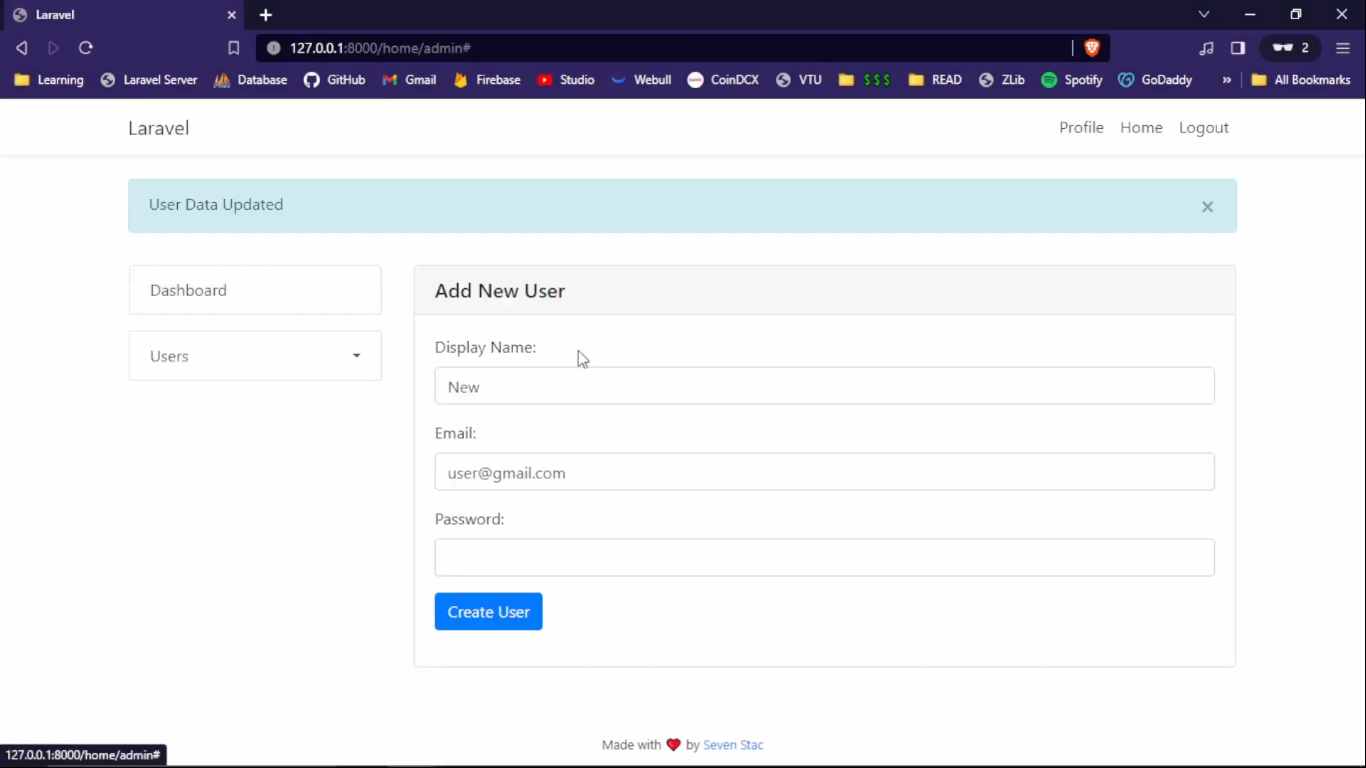
After that, admins can promote other users from /admin.
What the panel can do
- Stats: total, verified, new in the last 30 days, admins and disabled users, plus a breakdown by sign-in provider.
- Search by name, email or UID.
- Create users, edit name/email, send a password reset link.
- Grant or revoke admin. Other claims are kept, because changes are merged in rather than replaced.
- Disable or enable accounts. Disabling also revokes refresh tokens, which signs the user out of mobile apps.
- Send push notifications (see Push).
An admin can't demote or disable their own account (the request is rejected with 422), so you can't lock yourself out.
Using claims elsewhere
// Firestore security rules
allow write: if request.auth.token.admin == true;

// JavaScript client
const { claims } = await user.getIdTokenResult(true);
if (claims.admin) { /* show admin UI */ }
Cloud Firestore#
The Notes module (/notes) is a complete per-user example of creating, listing, editing and deleting documents. It talks to Firestore over the REST API using your service account, so you don't need the grpc PHP extension or google/cloud-firestore.
Setup
- Go to Firebase console → Firestore Database → Create database. Production mode is fine, because the server uses the admin key.
- Pick a region close to your users. You can't change it later.
- Open
/notes. If something's wrong, the page shows the exact error with setup steps.
Data model
notes/{autoId}
  uid:        "firebase-uid"          // owner
  title:      "Shopping list"
  body:       "Milk, eggs…"
  created_at: "2026-09-27T10:00:00+05:30"
  updated_at: "2026-09-27T10:00:00+05:30"
Using the repository
use App\Services\NoteRepository;

public function index(Request $request, NoteRepository $notes)
{
    $mine = $notes->forUser($request->user()->uid);          // list
    $one  = $notes->find($request->user()->uid, $id);        // null if not yours
    $new  = $notes->create($uid, ['title' => 'Hi', 'body' => '…']);
    $notes->update($uid, $id, ['title' => 'Edited']);
    $notes->delete($uid, $id);
}
Every method checks that the note belongs to the given uid. Someone else's note behaves as if it doesn't exist, returning a 404.
Security rules (only if clients also read Firestore)
rules_version = '2';
service cloud.firestore {
  match /databases/{database}/documents {
    match /notes/{id} {
      allow read, update, delete: if request.auth != null && request.auth.uid == resource.data.uid;
      allow create: if request.auth != null && request.auth.uid == request.resource.data.uid;
    }
  }
}
Push notifications (FCM)#
Instead of storing device tokens in a table, each browser subscribes to two FCM topics, and FCM keeps track of the devices:
Setup
- Go to Project settings → Cloud Messaging → Web Push certificates → Generate key pair.
- Put the key in
.envasFIREBASE_WEB_VAPID_KEY=.... npm run build, then reload. On the dashboard, click Enable on this device and allow notifications.- Go to Admin → Push notifications and send to Everyone or to one user (by UID).
The service worker is generated by Laravel at /firebase-messaging-sw.js, with your config taken from .env, so you don't copy config into a static file.
Sending from your own code
use App\Services\PushNotifications;

app(PushNotifications::class)->toEveryone('New video!', 'Lara Fire v2 walkthrough', 'https://youtu.be/...');
app(PushNotifications::class)->toUser($uid, 'Order shipped', 'It arrives tomorrow.');Push only works on https:// or localhost, in a normal (non-incognito) window. Notification links must be https. On iOS the site has to be added to the Home Screen (iOS 16.4+).
REST API#
This is a stateless JSON API for mobile or SPA clients that already use Firebase Auth. Send the user's ID token with every request:
Authorization: Bearer <ID token>Endpoints
| Method | Endpoint | Body | Returns |
|---|---|---|---|
| GET | /api/v1/me | — | The signed-in user |
| GET | /api/v1/notes | — | List of your notes |
| POST | /api/v1/notes | {title, body?} | 201 + note |
| GET | /api/v1/notes/{id} | — | Note or 404 |
| PUT/PATCH | /api/v1/notes/{id} | {title, body?} | Updated note |
| DELETE | /api/v1/notes/{id} | — | 204 |
Getting a token
// Web / JS
const token = await firebase.auth().currentUser.getIdToken();

// Flutter
final token = await FirebaseAuth.instance.currentUser!.getIdToken();

# Testing with curl: sign in via Firebase REST
curl -X POST "https://identitytoolkit.googleapis.com/v1/accounts:signInWithPassword?key=WEB_API_KEY" \
  -H "Content-Type: application/json" \
  -d '{"email":"you@example.com","password":"secret","returnSecureToken":true}'
Example
curl http://localhost:8000/api/v1/me -H "Authorization: Bearer $TOKEN"

{
  "data": {
    "uid": "k3Jd8…", "email": "you@example.com", "displayName": "Suhas",
    "emailVerified": true, "isAdmin": true, "providers": ["password"]
  }
}
Errors & limits
| Status | Meaning |
|---|---|
| 401 | Missing, invalid, expired or revoked token, or the user is disabled |
| 403 | Password account with an unverified email |
| 404 | Not found, or not your note |
| 422 | Validation failed (errors object in the body) |
| 429 | Rate limit: 60 requests/minute per user |
ID tokens expire after one hour. The Firebase SDKs refresh them for you, so call getIdToken() before each request.
Artisan commands#
| Command | What it does |
|---|---|
larafire:about | Setup checklist: service account, web config, VAPID key, Firestore. |
larafire:make-admin {email} | Grants the admin claim. Add --revoke to remove it. |
How it works#
| File | Role |
|---|---|
app/Auth/FirebaseUser.php | Laravel user object (Authenticatable) built from a Firebase user record |
app/Auth/FirebaseUserProvider.php | Laravel user provider: checks credentials against Firebase and loads users by UID, with a cache |
app/Http/Middleware/* | Email verification, admin check, ID-token API auth |
app/Services/NoteRepository.php | Firestore REST client for notes |
app/Services/PushNotifications.php | FCM topics: subscribe, broadcast, send to one user |
bootstrap/app.php | Middleware aliases and redirects (Laravel 13 slim structure) |
config/larafire.php | Every Lara Fire setting |
resources/js/{social-login,push}.js | Firebase JS SDK, loaded only on pages that need it |
Customizing#
Add a page for signed-in users
// routes/web.php (inside the auth + firebase.verified group)
Route::get('/billing', BillingController::class)->name('billing');

// admins only
Route::middleware('admin')->get('/admin/reports', ReportsController::class);
Add your own role
// grant
$claims = $auth->getUser($uid)->customClaims;
$claims['editor'] = true;
$auth->setCustomUserClaims($uid, $claims);
app(\App\Auth\FirebaseUserProvider::class)->forget($uid);

// check
($request->user()->customClaims['editor'] ?? false) === true
A new Firestore collection
Copy NoteRepository, change the collection name and the fields in create() / map(), and keep the uid ownership checks.
Branding
Set APP_NAME in .env, and change the colors in resources/scss/app.scss ($fire). The layout lives in resources/views/layouts/app.blade.php.
Testing#
php artisan test      # or: composer test
vendor/bin/pint       # code style
No real Firebase calls are made. tests/TestCase.php gives you some helpers:
$auth = $this->mockFirebaseAuth();                    // Mockery double for Firebase Auth
$auth->allows('getUser')->andReturn($this->userRecord(['claims' => ['admin' => true]]));

$this->actingAs($this->firebaseUser())->get('/home')->assertOk();

$token = $this->idToken(['sub' => 'uid-123']);         // fake verified ID token
Http::fake([...]); // Firestore REST callsDeployment#
Checklist
APP_ENV=production,APP_DEBUG=false, andAPP_URLset to your https URL.- Upload the service account file outside the web root, or set
FIREBASE_CREDENTIALSto an absolute path. - Add your domain to Firebase → Authentication → Authorized domains.
- Serve over HTTPS, because push notifications need it.
- Make
storage/andbootstrap/cache/writable by the web server.
composer install --no-dev --optimize-autoloader
npm ci && npm run build
php artisan config:cache
php artisan route:cache
php artisan view:cache
Your web server should point to public/. With nginx, the usual Laravel try_files $uri $uri/ /index.php?$query_string; also serves /firebase-messaging-sw.js.
Set SESSION_DRIVER=redis and CACHE_STORE=redis so sessions and the user cache are shared.
Security#
- Admin rights can only be granted from the server (Artisan) or by an existing admin.
- Profile actions only ever act on
$request->user(). Nothing takes a UID from the URL. - Social login and API tokens are verified on the server, and stale, anonymous or revoked tokens are rejected.
- Rate limits: 10/min on auth endpoints, 60/min on the API.
- CSRF protection on every web form. Blade escapes output by default.
Versions below 2.0.0 contain /home/iamadmin, which lets any logged-in user make themselves admin. Upgrade now.
Found a vulnerability? Please report it privately through GitHub Security Advisories.
Troubleshooting#
The openssl extension is required… (Composer)
Enable extension=openssl in php.ini. Run php --ini to find the file. If no php.ini is loaded, copy php.ini-development to php.ini first.
cURL error 60: unable to get local issuer certificate
PHP (common with XAMPP on Windows) has no CA certificate bundle, so every Firebase call fails and login says "Could not reach Firebase".
# PowerShell
$phpDir = Split-Path (Get-Command php).Source
Invoke-WebRequest https://curl.se/ca/cacert.pem -OutFile "$phpDir\cacert.pem"
# then in php.ini:
curl.cainfo   = "C:\xampp\php\cacert.pem"
openssl.cafile = "C:\xampp\php\cacert.pem"
Restart php artisan serve afterwards.
Unable to determine the Firebase Project ID
FIREBASE_CREDENTIALS points to the wrong file. Check with php artisan larafire:about, then run php artisan config:clear.
The app dies on a page and laravel.log is empty
A native PHP extension crashed the process before Laravel could log anything. On Windows it's usually grpc. Lara Fire doesn't need it, so remove extension=grpc from php.ini. You can see crashes by running php -d display_errors=1 artisan serve.
Social sign-in failed
- Is the provider enabled in Firebase, and is your domain listed under Authorized domains?
- Are all the
FIREBASE_WEB_*keys set? Runnpm run buildagain after changing them. - The real reason is in
storage/logs/laravel.log.
Push: stuck at "Requesting permission…"
Chrome hides the prompt after it has been dismissed a few times. Click the 🔕 bell or the "Notifications blocked" chip in the address bar and choose Allow. Or go to Lock icon → Site settings → Notifications → Allow. Also check Windows Settings → Notifications → Chrome.
Push: "Registration failed – push service error"
- Brave: turn on
brave://settings/privacy→ "Use Google services for push messaging". - Incognito windows don't support push.
- VPNs and ad-blocking DNS can block Google's push servers.
- DevTools → Application → Clear site data, then try again.
Notes: "Firestore database not found"
Create the database in Firebase console → Firestore Database. If you use a named database, set LARAFIRE_FIRESTORE_DATABASE.
I made myself admin but don't see the Admin link
The user record is cached for 60 seconds. Log out and back in, or wait a minute.
Verification emails go to spam
Customize the sender and template under Authentication → Templates, and add a custom domain there if you have one.
419 Page Expired
The session expired or APP_URL doesn't match the address you're browsing. Refresh the page, or clear cookies for the site.
Upgrading from v1#
v2 is a rewrite on Laravel 13. Your Firebase users and claims carry over unchanged, because everything is stored in Firebase.
- Upgrade to PHP 8.3 or newer.
- Pull or merge v2, then run
composer update,npm installandnpm run build. - Move your key to
storage/app/firebase/service-account.jsonand updateFIREBASE_CREDENTIALS. - Add the
FIREBASE_WEB_*keys (see.env.example). - Run
php artisan larafire:make-admin you@example.com, because/home/iamadminhas been removed.
| v1 | v2 |
|---|---|
/home/profile | /profile |
/home/admin | /admin |
/password/reset | /forgot-password |
/home/iamadmin | php artisan larafire:make-admin |
resources/credentials/firebase_credentials.json | storage/app/firebase/service-account.json |
| laravel/ui, sanctum, spatie/laravel-html, google/cloud-firestore | Removed |
FAQ#
Can I still use MySQL?
Yes. Set the DB_* keys and use Eloquent for your own tables as usual. Users stay in Firebase, so store the Firebase uid as the foreign key.
Is it free?
Lara Fire is MIT licensed. Firebase's free Spark plan covers Auth, FCM and a generous Firestore quota.
Why not Laravel Sanctum for the API?
Your clients already have a Firebase ID token, so accepting it directly means users sign in only once and you don't need a token table.
Does it support Realtime Database / Storage?
The Firebase SDK is already installed, so app(\Kreait\Firebase\Contract\Database::class) and Storage::class are available. Only the Notes example uses Firestore.
Windows / XAMPP?
Yes, v2 was built and tested on Windows. See Troubleshooting for the two common PHP config fixes.
Support#
No sections match your search.